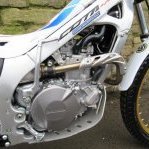
November 23, 20214 yr hello, im making some of those webbing strap things for pulling bikes out of sections, as i can see myself doing a fair bit of this haha. Anyway ive got the webbing, and im pretty sure its just a case of heating up an old screwdriver and melting a hole through for the bolts to go through and attach at back mudguard, but....im a bit concerned that it wont last very long and ive seen some with what looks like a penny washer, that actiually goes through the webbing, to prevent the hole from elongating etc. Any idea what these are called, so that i can buy some? only pic i could find, and yes i know its crap, but its the fixing points at the back muddy im on about thanks Edited November 23, 20214 yr by monteeman
November 23, 20214 yr pretty sure it's called an eyelet https://www.amazon.co.uk/dp/B0912VG8G1?pd_rd_i=B0912VG8G1&pd_rd_w=lrOdl&pf_rd_p=38ac87d3-6443-4c7b-8193-5dd01b7235aa&pd_rd_wg=9x8rN&pf_rd_r=BMX18QEPFJVTXN6KQZ94&pd_rd_r=46d986fe-98ef-4801-a01d-90e0575d1445 you can get different sizes but you probably need to buy the little punch tool to make a good job of closing them up!
November 23, 20214 yr Yep them’s um. Ie’ve used them on tarps & groundsheet type material before. I think for nylon webbing it would be good to punch the hole using the punch & die supplied, then just warm it up carefully, with a blow lamp or similar, to seal the fibres round the hole. Same as you would with the cut ends to stop fraying. Don’t think you’ll need to make another after that 😀.


Join the conversation
You can post now and register later. If you have an account, sign in now to post with your account.