Skip to content
View in the app

A better way to browse. Learn more.

Trials Central

A full-screen app on your home screen with push notifications, badges and more.

To install this app on iOS and iPadOS
  1. Tap the Share icon in Safari
  2. Scroll the menu and tap Add to Home Screen.
  3. Tap Add in the top-right corner.
To install this app on Android
  1. Tap the 3-dot menu (⋮) in the top-right corner of the browser.
  2. Tap Add to Home screen or Install app.
  3. Confirm by tapping Install.

Gray_side_up

Members
  • Joined

  • Last visited

Everything posted by Gray_side_up

  1. Could be the water pump is not working? Fan should run continuously if pump is faulty
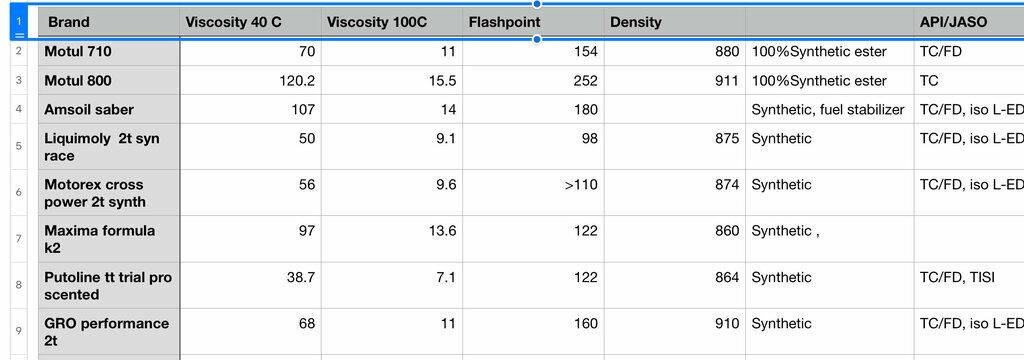
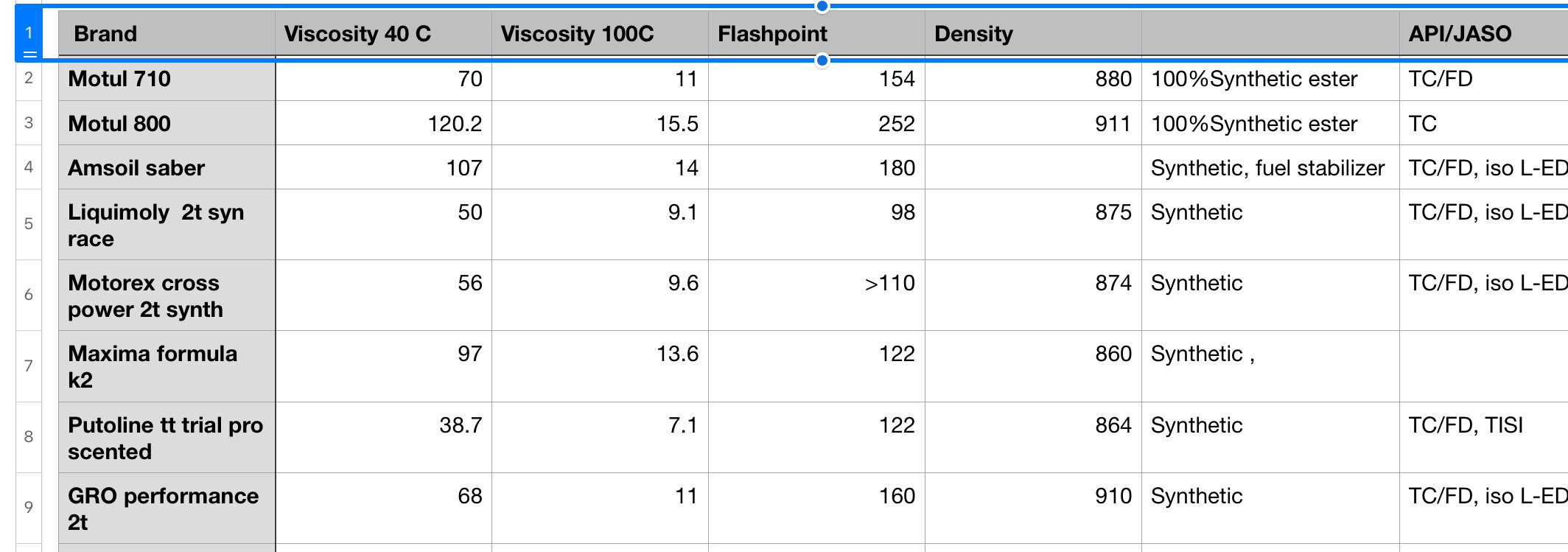
  2. Pulled this from various websites.
  3. Has anyone got their hands on a service manual for the 2018 model year? given both snow and Covid restrictions, looks like I will have a few months to get more familiar with the inner workings. Thanks.

Account

Navigation

Search

Search

Configure browser push notifications

Chrome (Android)
  1. Tap the lock icon next to the address bar.
  2. Tap Permissions → Notifications.
  3. Adjust your preference.
Chrome (Desktop)
  1. Click the padlock icon in the address bar.
  2. Select Site settings.
  3. Find Notifications and adjust your preference.