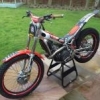
April 2, 201313 yr Hi all - if you've read my other posts then you know I'm really new to this and know nothing! I have some basic questions - that basic that some of them will surprise you... I have just bought this 2004 Sherco 125cc... 1. What fuel does it run on? Super unleaded with 80:1 fully synthetic mix? 2. When I look at bikes on the internet I sometimes see this '2T' or '4T' after it - does this mean 2 stroke and 4 stroke? 3. I also sometimes see 4.5 or 2.9 - what does this refer too?
April 2, 201313 yr Dan No need for super unleaded, standard unleaded is fine. 70:1 / 80:1 is fine. as you guessed, 2T = 2 stroke, 4T = 4 stroke 4.5 = 450cc, 2.9 = 290cc Sherco market their bikes this way. Dom
April 2, 201313 yr We all had to learn somewhere that's what the forums are for, there's nothing "stupid" about any question if you don't know the answer
April 3, 201313 yr Dan No need for super unleaded, standard unleaded is fine. 70:1 / 80:1 is fine. as you guessed, 2T = 2 stroke, 4T = 4 stroke 4.5 = 450cc, 2.9 = 290cc Sherco market their bikes this way. Dom Technically the 2.9 model is actually 272cc ( kind of a marketing ploy to get you to think the bike has a bigger engine than it does)


Join the conversation
You can post now and register later. If you have an account, sign in now to post with your account.