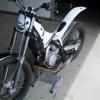
May 15, 201313 yr Hello outhere, Since today it's official,i absolutly love my Scorpa SY 250. In the evening i went out to the trial grounds at Arnhem, this is a lot off lose sand with almost the grip off soap. After trying out a few tricks some experienced riders gave me, like hangin realy low in your bike for stability it suddendly went click! Now i can turn it on a dime and stand still with her, it's realy crazy. What a bike, i can't believe that a few weeks ago i was looking out for a Gas Gas as my favourite bike. Next step for me is climbing hazzard like trees and rocks or in our case here in Holland concrete blocks.
May 19, 201313 yr Hello outhere, Since today it's official,i absolutly love my Scorpa SY 250. Next step for me is climbing hazzard like trees and rocks or in our case here in Holland concrete blocks. Here's an instruction video on how to climb trees:
May 19, 201313 yr Here's an instruction video on how to climb trees: OH so it's "Just that Easy!" Holy Crap that man is just GOOD!
May 20, 201313 yr Author Thanks for sending me the video. Looks quite easy as he does it. It might take me a little bit of practice, like a milion years!


Join the conversation
You can post now and register later. If you have an account, sign in now to post with your account.