March 25, 201610 yr Does anyone know where i can get the plastic frame trim the clips into the top of the frame cheers
March 25, 201610 yr Trials tribulations? Or birketts? I have a pair in my garage but not much use to you in Canada
March 26, 201610 yr nonstop motoren seems to have them in stock. http://www.nonstopmotoren.com/nl/webshop/product/1084-54-3000040211-frame-kapjes/category_pathway-79
March 29, 201610 yr Trick bits do the sorter ones, but I've got these on not from this supplier though. I also used S3 rim tape under the guards to stop the dirt from rubbing the frame http://www.dualsportplus.com/product_p/3000040211.htm Edited March 29, 201610 yr by jsp
March 29, 201610 yr The Vent things. We lost one pretty early and I bought the last Trials and Tribulations had. Andy At Pennine has a few Italian sources for parts if you can't find them anywhere else.
March 29, 201610 yr How do you keep the right hand side one on as mine keeps falling off (pushed off with clutch hose/cable) on right hand turns ???? Maybe i'm doing something wrong ???? But the little ears that sit behind the frame aren't strong enough for the hose/cable push and just comes off !
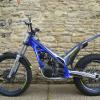
March 29, 201610 yr Check to see if the clutch hose runs up over the frame tube directly in front of the top of the radiator, between the two outer frame tubes. You can also cable tie the hose to the square section piece of frame at the headstock, though you shouldn't need to. Also, check if you have the correct plastic piece in the right spot, there are "right" and "left" plastic pieces, the photo at the beginning of this thread shows the plastic piece correctly, the clutch hose routing is shown correctly also. Bye, PeterB.


Join the conversation
You can post now and register later. If you have an account, sign in now to post with your account.