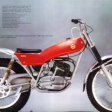
August 21, 20188 yr Hi everyone. I own a 123T, 247 and a 349. Do any of you own any cool or rare factory or dealership documents or manuals regarding a model I have. I would love to learn more about the bikes. Below is a photo of the 247 i am restoring now.
August 21, 20188 yr 1 hour ago, baurespdx said: Hi everyone. I own a 123T, 247 and a 349. Do any of you own any cool or rare factory or dealership documents or manuals regarding a model I have. I would love to learn more about the bikes. Below is a photo of the 247 i am restoring now. Resourceful bike stand?How high can you stack and still support the bike?
August 21, 20188 yr Hi and welcome. Try here, https://clasicaslegendarias.com/fichas-y-manuales-de-montesa-cota/ You might find something of use to you. Phil
August 21, 20188 yr Welcome, baurespdx! Got any more classics? Edited August 21, 20188 yr by brewtus Aint's be got no spellin' gooder.


Join the conversation
You can post now and register later. If you have an account, sign in now to post with your account.