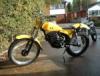
June 27, 200719 yr just finished my latest project - I hate you Really nice Chris I'm envious. Getting rid of the Majesty? So when's it gonna get down and dirty?
June 27, 200719 yr Author got to stand and look at it a bit before i get it dirty.might be out at the next peak classic.
June 27, 200719 yr I'm going to get fancy on you: If you go to the photo page and click on "show links" then click on Img, then copy and and paste that URL directly into your post you will get something that looks like this. and this:
June 27, 200719 yr That bikes lovely Chris! top job! I've nearly finished my KT250! will get some pics up on here soon! (got the std lights and speedo fitted! ) there a beautiful looking bike! haven't had the balls to get it blooded yet as near mint! in candy apple green! if i do ill try and get a spare tank and s/panels as the sidepanels will be the biggest wear point as they stick out a fair bit just ready to get the paint worn off by yer riding boots!!! p.s the lights will come of too!
June 27, 200719 yr got to stand and look at it a bit before i get it dirty.might be out at the next peak classic. Hang on youre thinking of taking that honey to Bracken???? There'll be tears I'll be there with some Kleenex Damn nice job as always mate. Edited June 27, 200719 yr by Old trials fanatic
February 28, 200818 yr your killing me,post me a picy. mine is still in the works but pictures are coming soon


Join the conversation
You can post now and register later. If you have an account, sign in now to post with your account.