April 19, 201511 yr https://www.facebook.com/49989519501/videos/10153182589899502/?fref=nf Edited April 19, 201511 yr by guys
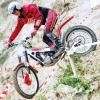
April 19, 201511 yr I know Bou is amazing but that bike looks so light, I'd like to see it done on a standard 4rt!
April 19, 201511 yr But notice the power/effort/control he puts into his moves ... No wonder he's who he is .!
April 20, 201511 yr Author How does he get his rear wheel so high!? https://www.facebook.com/sergio.canobbio/videos/vb.100002063965119/825525307526260/?type=2&theater
April 21, 201511 yr Those are cyclo trials tricks so that answers the question about the weight of the bike? ......oh, and an immensely talented,outstanding pilot. I'm now beginning to think that he is actually from another dimension Thanks for sharing that, Guys. Edited April 21, 201511 yr by ham2


Join the conversation
You can post now and register later. If you have an account, sign in now to post with your account.