honda pants
Members
-
Joined
-
Last visited
-
WOW, Brian silly question do you want the article? I would love to read it. slipps
-
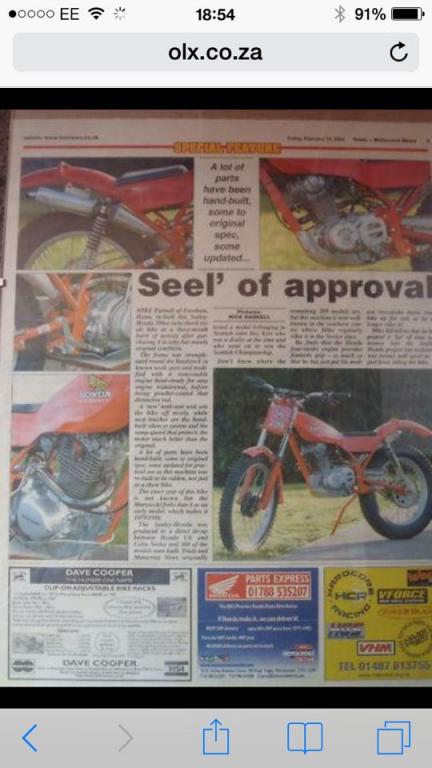
Hi everyone can someone possibly help out, I own the Honda Seeley in the picture but I'm trying to get a copy both myself and Mannix Devlin can't make out the date of publication can you help out?

-
-
I had one of these they are based on the XL 185 or use many parts, awful thing to ride!
-
Hi I uploaded pictures to gallery , how do I upload to a thread?
-
Hi, I will try and post a pic later its in the manual page 2-14 E10 Crankcase part no 10
-
I am trying to locate a kickstart stop for my TL200 Seeley , can anyone lend me their stop so I can fabricate a new one, I will return next day registered delivery. Also I'm looking for a spring clip for the fork leg that keeps the seals in. cheers all :hyper:
-
I will photo mine tomorrow for you
-
My Seeley has a cam knock ( i think it's coming from that area), what is required to fix this? Any help would be great thanks.
-
Hi, I fitted taper rollers to my cub no problems at all
-
I have had a Max Hayes kickstart on my Cub for 2 years now Brilliant!!pm me for his phone number:-)
-
The man is a legend!
-
Sorry to hear your bad news, SCUM thats all they are.
-
There is a parts manual for the RS range which is the same for the Seeley on Fleybay
-
Bill, i have the workshop manual/parts list for the Seeley motor let me check for you.