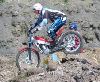
October 20, 201214 yr Here's some pics, mainly from Reels, above Marrick and Whaw bridge, I took today Cracking day out http://s64.photobucket.com/albums/h164/Johnnyboxer/Trials/Scott%202012/?start=all
October 20, 201214 yr nice pictures Pic's 14,15,16 from Waugh bridge I think thats the same section from the Reeth, I never got up either
October 21, 201214 yr good set and if its yours time behind a DSLR even better, you even managed to get me on one of the pics which is a feat in itself
October 22, 201214 yr Author good set and if its yours time behind a DSLR even better, you even managed to get me on one of the pics which is a feat in itself Cheers Neil, Now I know who you are, I'll have a chat next time & maybe you can give me a few tips Always have a look at your pics each week & they're good It was my first time with a DSLR - old Canon 300D - so nowt fancy I'm pleased with how they came out especially the later ones at Reels with Swaledale as a backdrop - I thought they gave a sense of depth to the awesome views up there Hope to get better over time ( just like my riding )


Join the conversation
You can post now and register later. If you have an account, sign in now to post with your account.