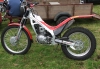
January 8, 200422 yr thinking about the scottish and who will get in etc. i started thinking about the first time i spectated and i saw bernie schrieber riding an swm. I thought i would remind myself what the swm looked like i can remember a nice yellow tank and black engine. So i type swm into the search engine and what do i get? pages of single white men all looking for similar. Just then the lady of the house comes in and i start to panick. i can't clear the screen fast enough. Now she thinks i'm gay and looking for rent boys! she reckons i'm doubly guilty cos of my frantic efforts to clear the screen before she could see it. Any suggestions on how to get back in the good books would be appreciated.
January 8, 200422 yr Take heart. some people have their very own SWM for personal use, and can often be seen wrestling with it up to their knees in mud.
January 8, 200422 yr I laughed so hard I had tears in my eyes when I read the post.That is the funniest thing I've seen here.You better get an SWM in the garage quick before the old lady starts keeping tabs on her makeup.
January 8, 200422 yr Windlestone, i've never ridden an SWM, what you doing next Friday, i won't tell my Mrs if you don't tell yours. Gaff. PS. I agree with NGK.


Join the conversation
You can post now and register later. If you have an account, sign in now to post with your account.