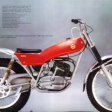
September 25, 20188 yr Popular Post My Cota 349 that I saved from a sad state. got it running today, for the first time in a long long time.......
September 25, 20188 yr Wow, nicely done! Did it come with a box of bits of the rest of the bike, or did you have to track everything down?
September 26, 20188 yr Author 17 hours ago, turbofurball said: Wow, nicely done! Did it come with a box of bits of the rest of the bike, or did you have to track everything down? Thanks, came with a engine in pieces. crank was completely frozen... our mechanic got it up and running after lots of patience finding parts to make it original.
September 26, 20188 yr Great job! Hard work and loads of time and money right there. Worth it though, good to see
October 17, 20188 yr Awesome work it’s a credit to you bike looks great and great to see another bike saved from the scrap yard well done top job ?


Join the conversation
You can post now and register later. If you have an account, sign in now to post with your account.