-
Show Us Your Ty
-
SOVT Trial April 9th
Nice pictures thanks for sharing
-
SOVT Trial April 9th
That is a great turnout we would love to see more pictures
-
Vertigo Launch
Thanks TC and Vertigo for the free T shirt ! Now all I need is the to Bike to match
-
2014 Cma National Trials Championships
That was a great video ! To bad BC is so far away . KP
-
Help To Identify This Bike
looks like a Harley Davidson 175 enduro
-
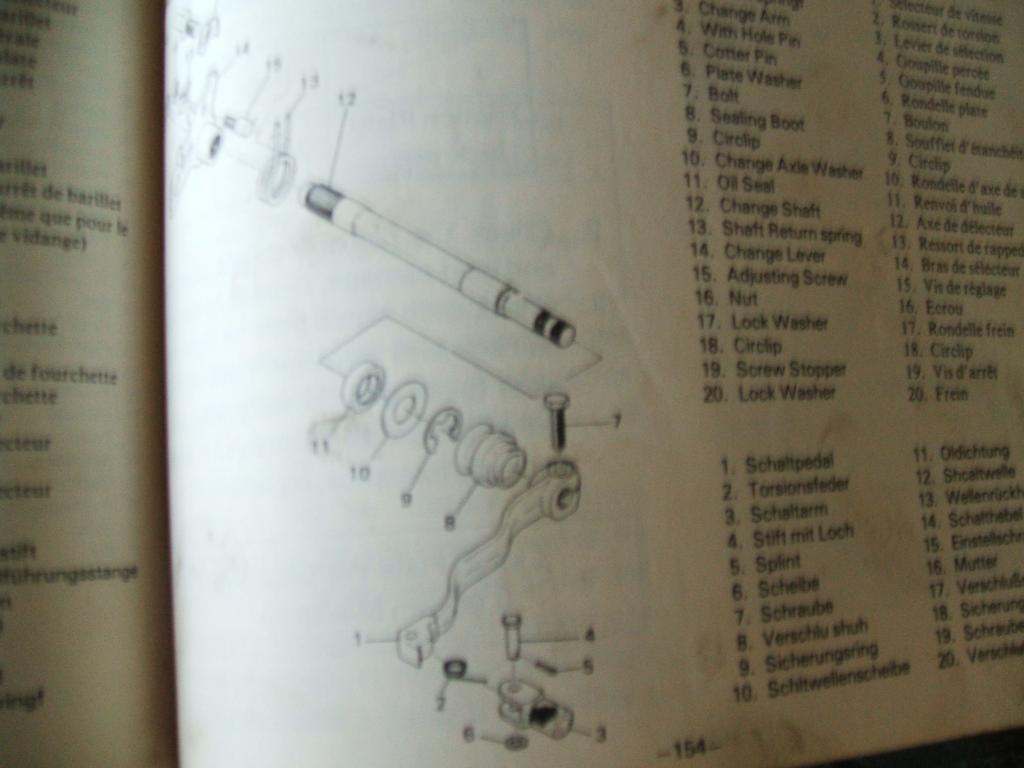
Ty250 Gearchange.
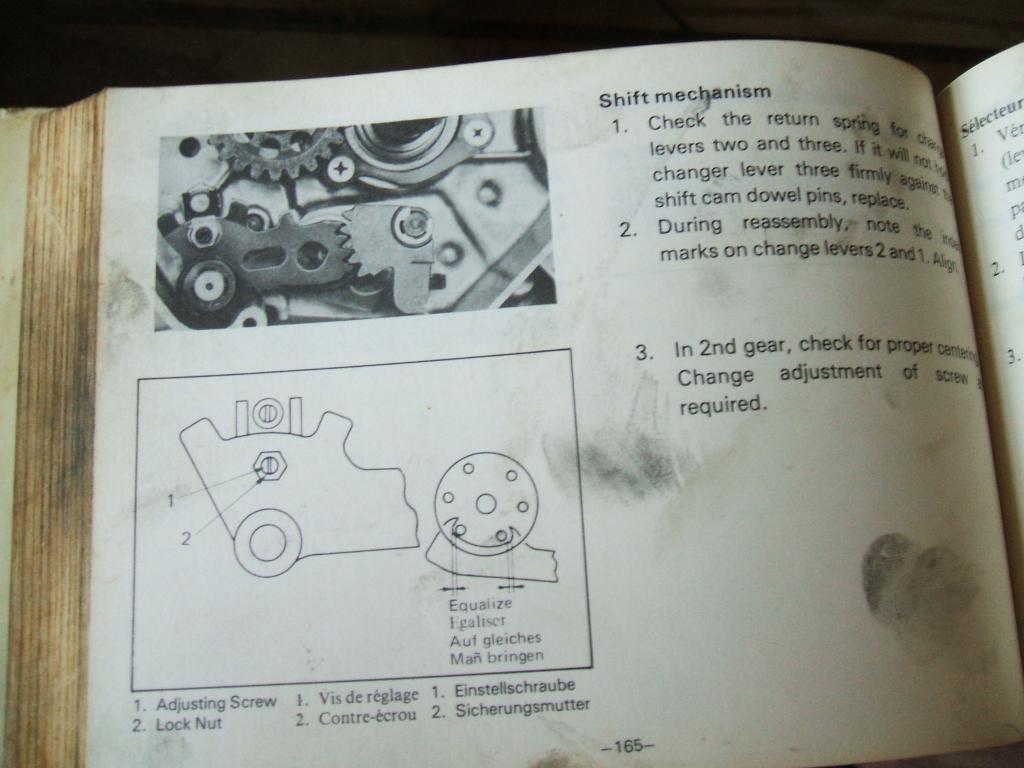
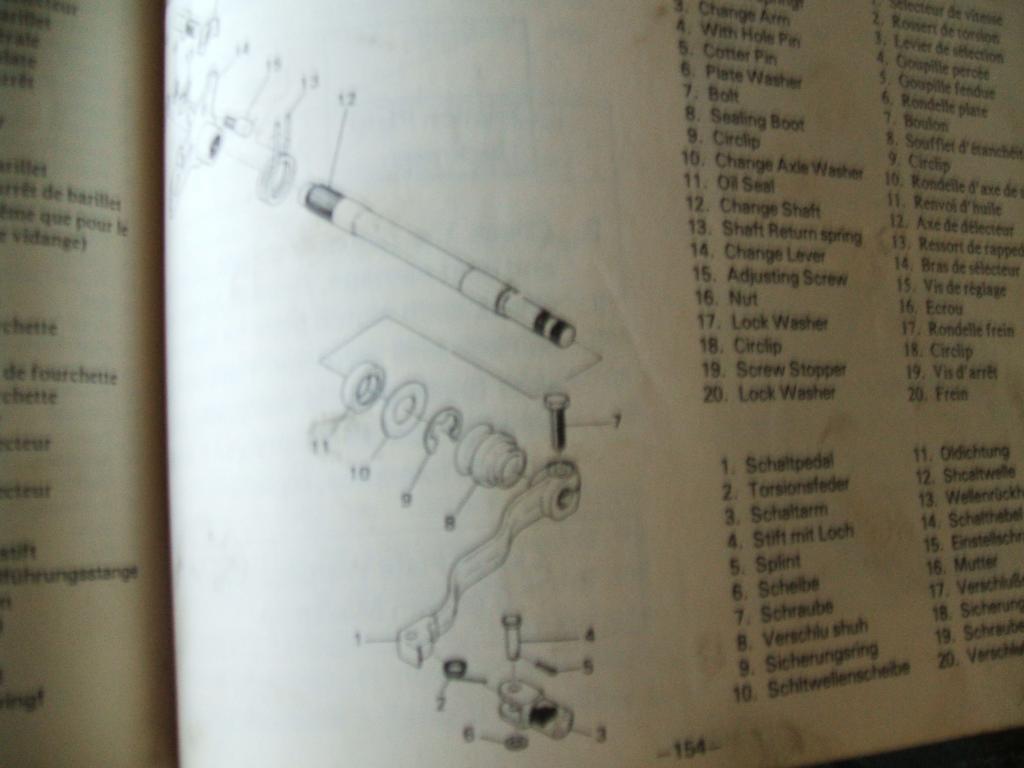
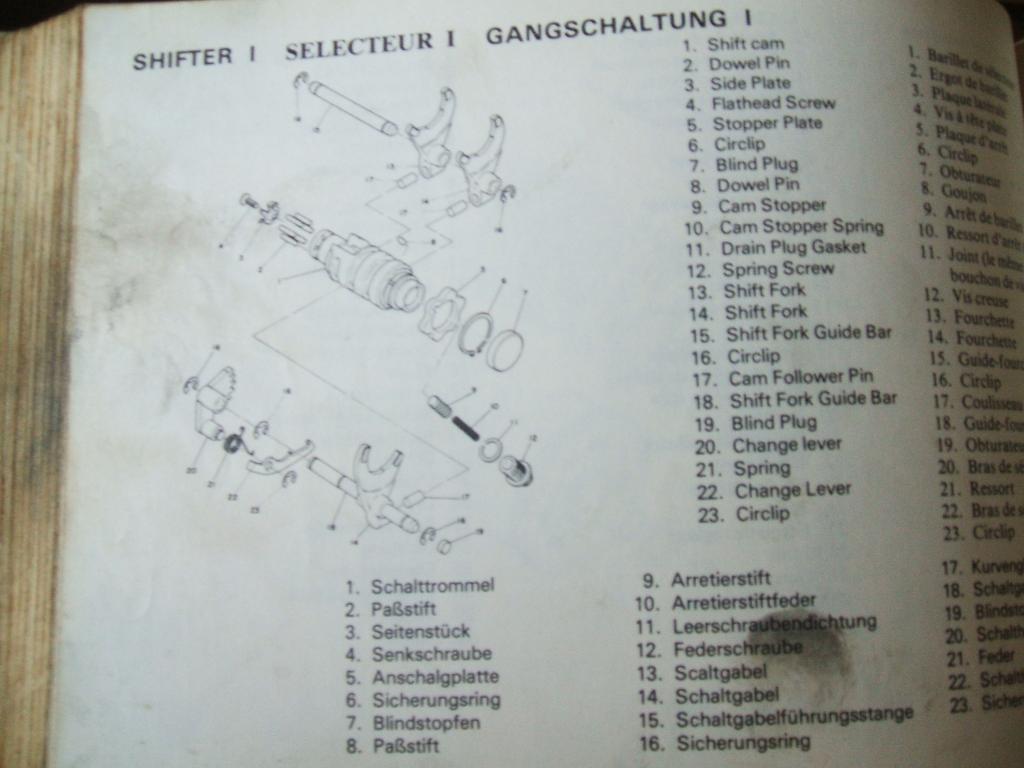
The shift shaft return spring does not look like it returns to center, try adjusting the screw with lock nut to center the teeth when shifter returns to center position.
-
Ty250 Gearchange.
These pictures might help.
-
Ty250 Gearchange.
- Ty250 Gearchange.
- Ty250 1978 Forks
162cc per leg 10/30type se motor oil . 1978TY250e- What Did You Do To Your Fantic Twin Or Mono Shock Today !
1995 249 section, with a Yamaha rt 100 engine, the 249 needs new cases- What Did You Do To Your Fantic Twin Or Mono Shock Today !
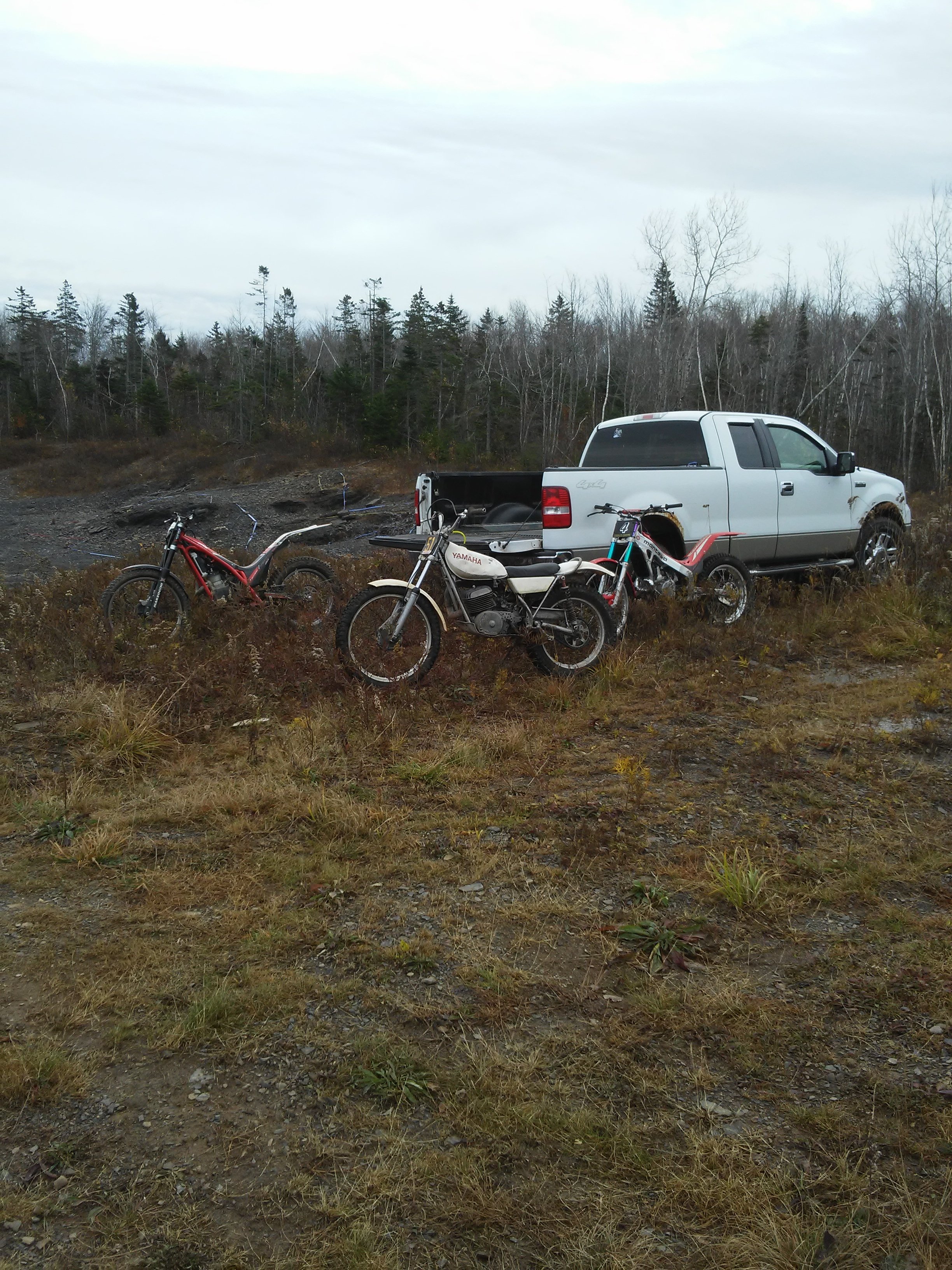
- New To Me Ty250
I live in Hantsport Ns ,we rode vintage TT trials at Shubenacadie . Kevin- New To Me Ty250
I seen this for sale on Kijij, good to see it went to a good home! I have a1978 ty 250 and still riding trials in NS. - Ty250 Gearchange.
Account
Navigation
Search
Configure browser push notifications
Chrome (Android)
- Tap the lock icon next to the address bar.
- Tap Permissions → Notifications.
- Adjust your preference.
Chrome (Desktop)
- Click the padlock icon in the address bar.
- Select Site settings.
- Find Notifications and adjust your preference.
Safari (iOS 16.4+)
- Ensure the site is installed via Add to Home Screen.
- Open Settings App → Notifications.
- Find your app name and adjust your preference.
Safari (macOS)
- Go to Safari → Preferences.
- Click the Websites tab.
- Select Notifications in the sidebar.
- Find this website and adjust your preference.
Edge (Android)
- Tap the lock icon next to the address bar.
- Tap Permissions.
- Find Notifications and adjust your preference.
Edge (Desktop)
- Click the padlock icon in the address bar.
- Click Permissions for this site.
- Find Notifications and adjust your preference.
Firefox (Android)
- Go to Settings → Site permissions.
- Tap Notifications.
- Find this site in the list and adjust your preference.
Firefox (Desktop)
- Open Firefox Settings.
- Search for Notifications.
- Find this site in the list and adjust your preference.