boghopper350
Members
-
Joined
-
Last visited
-
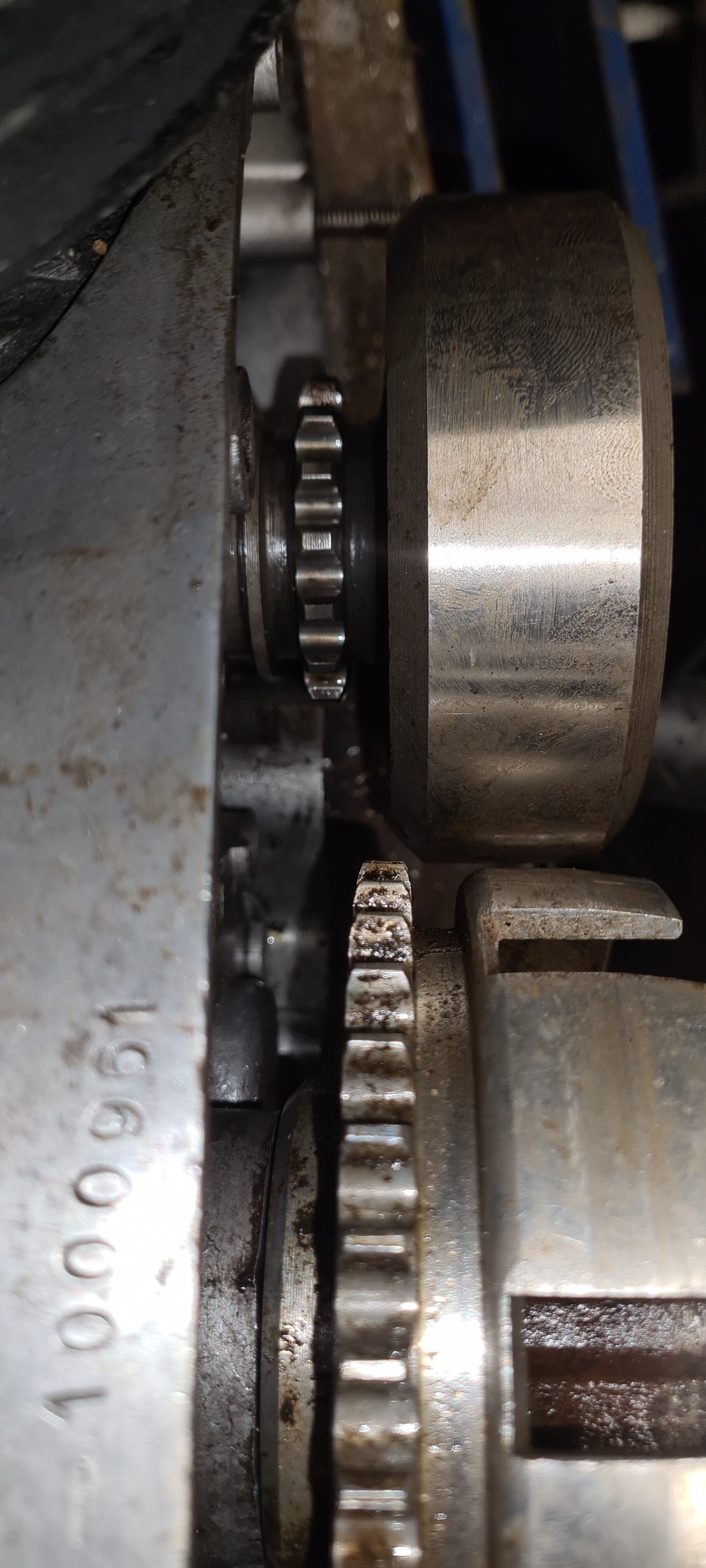
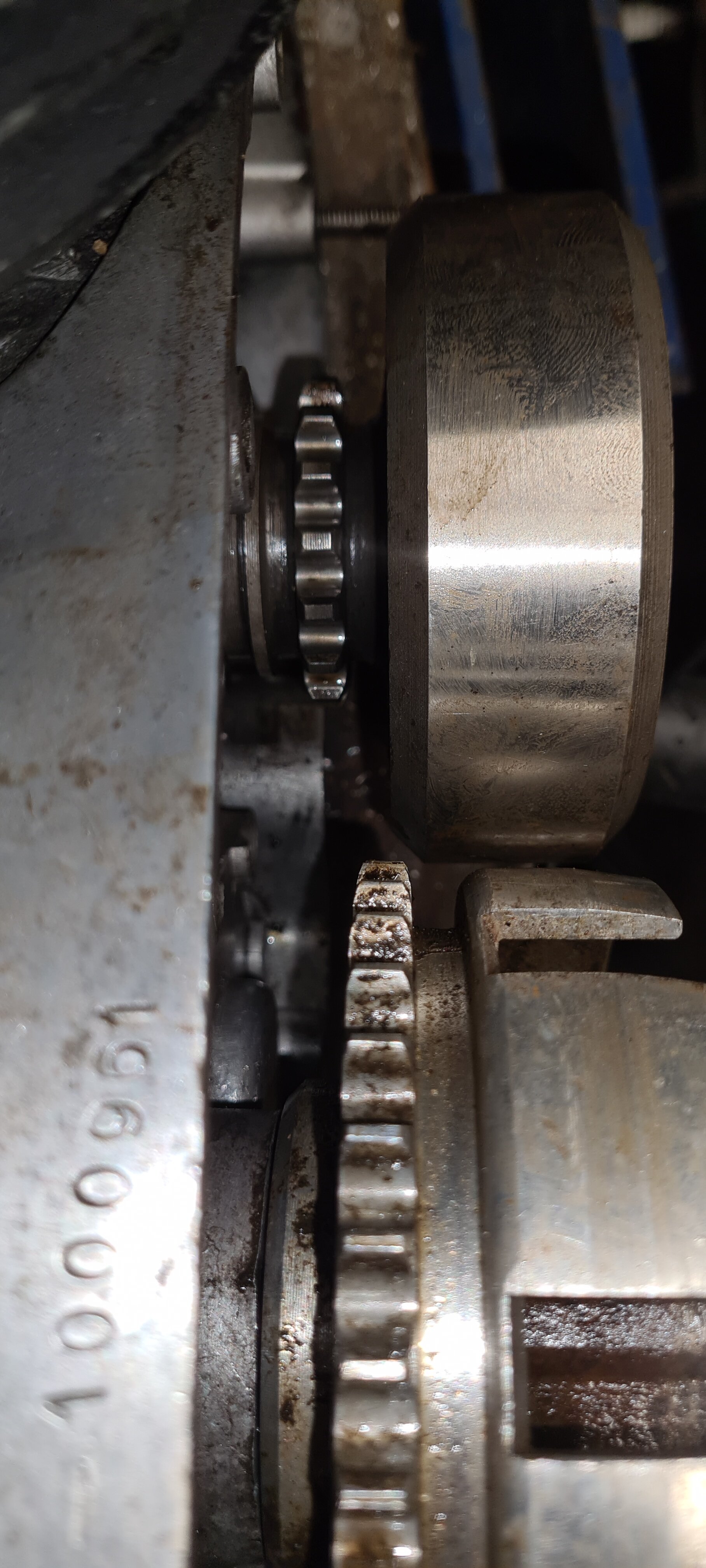
When I get chance I will remove it and take some more photos. Many thanks for your input so far.
-
I didn't get chance to have another look this evening due to work commitments. I am however sure that the clutch basket is fully home as it is up against the engine casing, not actually touching just a small gap. I have assembled with and without the woodruff key in place with the same outcome. There were 2 different types of clutch on a 4 speedone type used inner square tabs on the inner steel plates with square fitment on the hub and outer pressure platethe other type used rounded tabs - so the later 5 speed plates can work This is info from Pete at in motion.
-
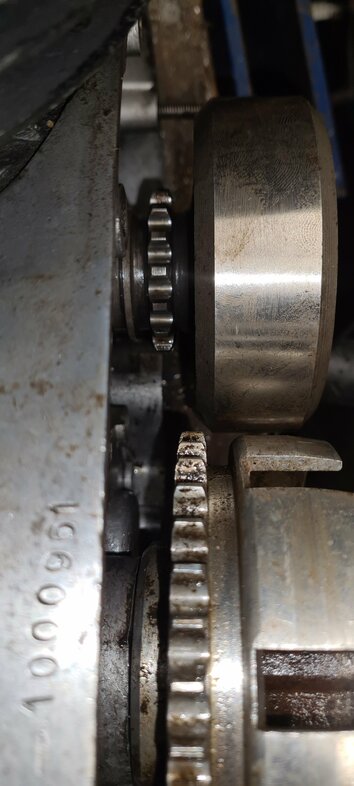
Many thanks for your input. The clutch as far as I'm aware is fully home, it's located onto the woodruff key. I will have a look later. It's good to know that the counterweights are interchangeable Woody, I was wondering how difficult it would be to change it if need be. I wonder if anyone has any photos of the area in question to clarify things a little. It is my understanding that there are two different clutchs on the model 10...?
-
Hi folks. Any help would be appreciated please. I have recently acquired a model 10 engine that seems to have the wrong clutch or counterweight, this is causing a problem because the sprockets don't line up for the primary chain. I think that the problem is with the counterweight, as i think the clutch is correct. It is located on its shaft with a woodruff key, but not 100% sure. If any model 10 experts could chip in it would be appreciated.Hi folks. Any help would be appreciated please. I have recently acquired a model 10 engine that seems to have the wrong clutch or counterweight, this is causing a problem because the sprockets don't line up for the primary chain. I think that the problem is with the counterweight, as i think the clutch is correct. It is located on its shaft with a woodruff key, but not 100% sure. If any model 10 experts could chip in it would be appreciated.
 The law is an a#s. So sorry to hear this.The frame seems to be a 199b if you post chassis and engine numbers we can confirm whether it is original. The standard engine is six speed.Try not to "****" the ends with a hammer. Use lots of heating of all ares with a blow torch or heat gun and cooling cycles. Perhaps use a bit of oak or other hardwood on the end of the pivot bar to stop the damage when "********" it, but only when you are happy that things are moving slightly. Most of all be patient plenty of soaking will help as you suggested.If I were you I would do my utmost to remove the swing arm pivot while you have your bike apart. They can be a right b/stard to remove, but ideally you would at least want to clean the bushes up and get some fresh grease in there.... Sorry, but it will be worth it in the long run.Electrex do a kit with their own rotor included I believeIt's nice to know that you are going to use it for what it was built for... not leaving in the garage as an "investment". enjoy it. I'm sure you willTry the usual... new plug, plug cap,trace all wires going right Back to the various components for the ignition and check all connections too (dont forget the Kill switch!. And welcome to the forum, you will find people on here very helpful.Hi, the ducati ignition from a synt fits and works fine on a zeroIt must be a first on here... One post, two frames with dodgy numbers!!! ;-)