motosolex
Members
-
Joined
-
Last visited
-
were you referring to fit on a TY250A? thank you.
-
Thank you David for clarification.
-
I have the same exact issue. Which circlip are you referring to? Thanks
-
Scot, How did you rewire the new condi?
-
-
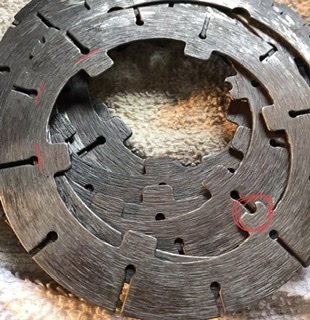
Hello Cota 349 aficionados, Anybody know the correct order of alignment of the cutches steel plates? There is a slot cut into only one tab on the inside. Not sure what the tab’s slot is for. thanks.
-
-
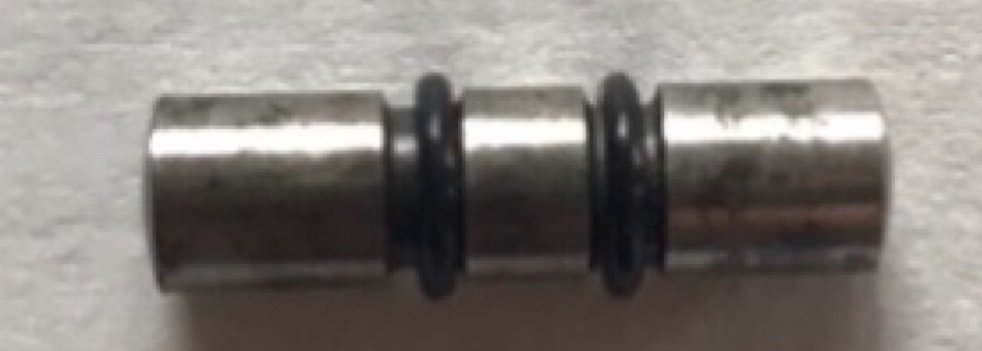
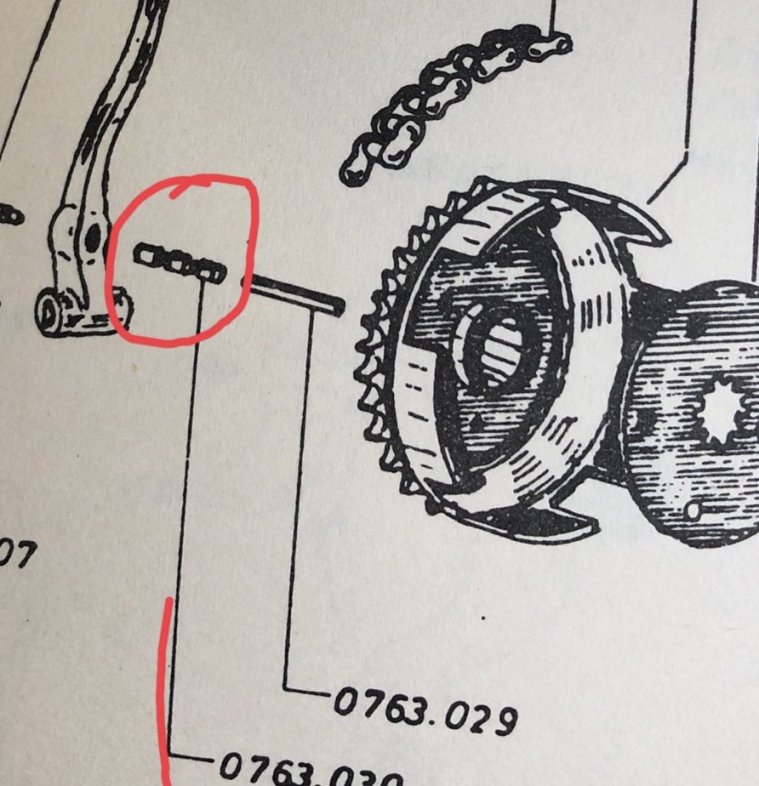
Hi fellows. Still haven’t got around to addressing this issue. We did hear from a Montesa fan in Spain that actually drilled out the passage’s diameter to allow the O-ringed mini shaft to fit in. The passage is a hair above 5mm and not too sure if there is a way to ream the passage and maintain a smooth round surface so O-rings will glide as mini shaft moves laterally. Any ideas? thank you.
-
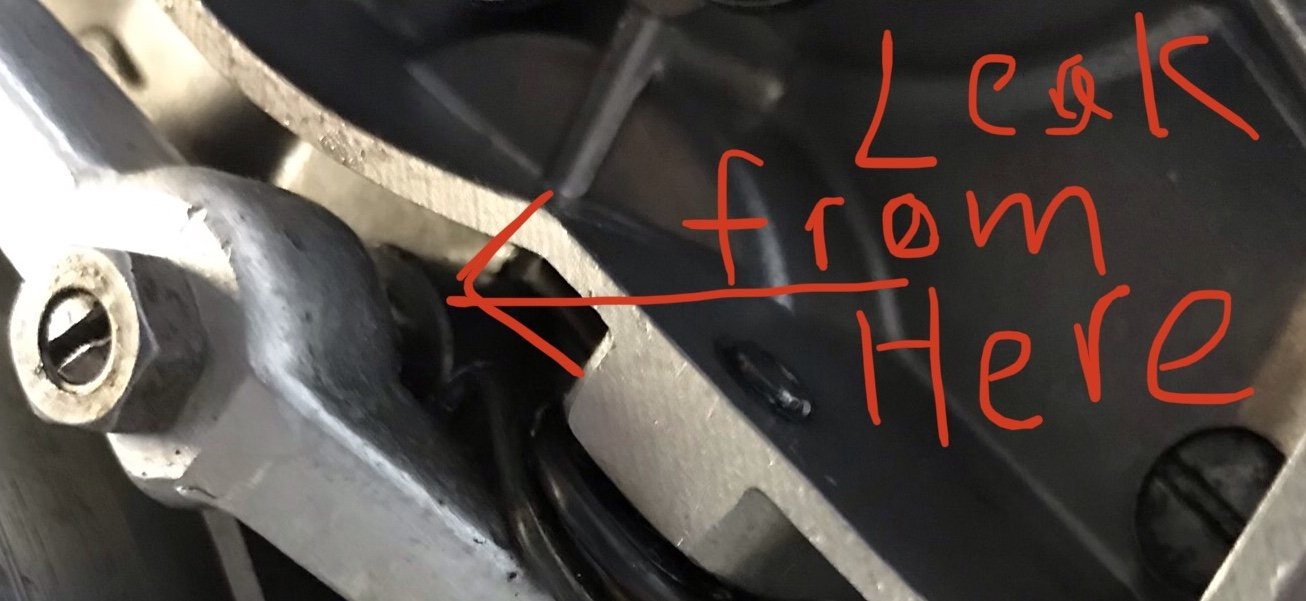
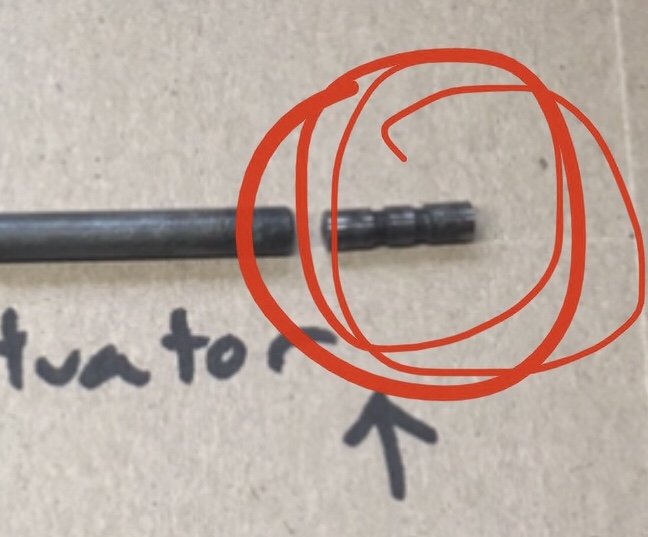
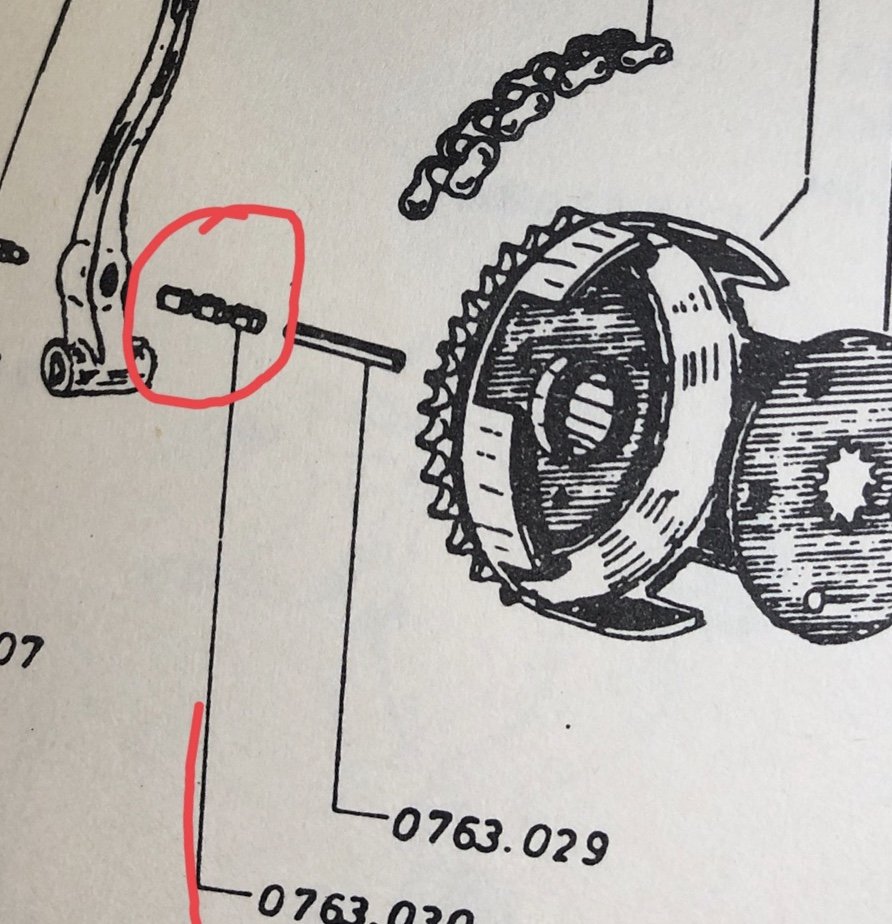
Our Cota49 leaks oil from the clutch actuating pin’s passage on the left side of engine. There seems to be 2 slots on one of the pins that looks as if there ought to be 2 Orings. Any idea on what we can do to stop the oil leak? Not sure if Orings are specified. Thank you.
 As a huge TY fan, every place needs a FeetUpFun and his expertise in my book.Remember all TY fans. The French website www.yamahaty.com is an excellent source for all things TY. Mostly in French but excellent resources too. Vive la déférence.Thank you fellows. Thinking I’ll remove the head and go at it that way. Of course a new head gasket too. I am not sure how to use a strobe light vis a vis points.That looks like the perfect tool. But......n/a to ship USA. I’ll look though. What is it’s brand name? thank you.