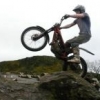
August 9, 201313 yr Got my first bike 1 week ago and this was at the end of my first day of giving trials a go filmed at the Bob MacGregor trials academy Nothing special but thought id share
August 10, 201313 yr Got my first bike 1 week ago and this was at the end of my first day of giving trials a go filmed at the Bob MacGregor trials academy Nothing special but thought id share Nothing like natural talent!!!
August 10, 201313 yr Author Thanks very much Got a long way to go before i feel perfectly comfortable on it to try bigger things but i'm having fun so far!
August 18, 201313 yr Good skills, and that place looks awesome, just wish it wasn't 5 hours away from me :-(
August 19, 201313 yr Author The Academy is pritty sweet, So much obstacles that suit a wide variety of skill levels which has helped me alot in working my way up That was genuinely my first day trying motorized trials, I've rode mountain bikes and pedal 20" wheeled trials bikes before this only, this is the first motorbike I've ever been on as well, so getting used to the clutch and the back brake has been interesting
September 3, 201313 yr Hmm, i am not too sure this is your first day ever on the bike? Either that or you have rode motorbikes before, no way can you learn clutch and rear brakes and then go on to do that all in your first day!!


Join the conversation
You can post now and register later. If you have an account, sign in now to post with your account.