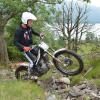
February 14, 201412 yr Short video of the Westmorland Motor Club "Kefty Watson" road trial. One 30 mile lap and 35 sections!! http://youtu.be/kqFmGjhAhhI
February 14, 201412 yr Enjoyed that. Do you just switch it on and leave it on then edit accordingly or do you switch it on and off as and when ?? Edited February 14, 201412 yr by thedbf
February 14, 201412 yr Author Enjoyed that. Do you just switch it on and leave it on then edit accordingly or do you switch it on and off as and when ?? Thanks, yes i just leave it running and try to forget about it!
February 14, 201412 yr I wonder if there will be any more superb Westmorland trials after recent events, and now the website has gone. Anyone have any more info?
February 14, 201412 yr Very good, even enjoyed the music. How many routes were there ? Were there many twinshocks '
February 14, 201412 yr Thanks, yes i just leave it running and try to forget about it! How much memory does it take up and how long does your battery last...
February 14, 201412 yr Author Very good, even enjoyed the music. How many routes were there ? Were there many twinshocks ' Only one route that day, think it was part of the Normadale series? So, yes, plenty of twinshocks. How much memory does it take up and how long does your battery last... A battery lasts about 2hrs (I've got 2). Normaly uses about 24Gb for both batteries.


Join the conversation
You can post now and register later. If you have an account, sign in now to post with your account.