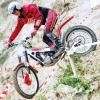
June 4, 201511 yr Proper bikes and proper no stop riding, makes you want a pre 65 / twin shock bike. I bet most of the enthusiasts on this site could aspire to riding like that and achieve it yet we all look at the 'World Championship' and think it reflects our sport ! Keep those feet up !
June 4, 201511 yr Proper bikes and proper no stop riding, makes you want a pre 65 / twin shock bike. Not quite proper no stop riding...........they were all covering the clutch. Back when I was a youngen (late 70's early 80's) a surly older gentleman told me "get your fingers off that clutch, once you put it in gear you don't touch the clutch. You just use the throttle" aaahh the good old days
June 4, 201511 yr Proper bikes and proper no stop riding, makes you want a pre 65 / twin shock bike. I bet most of the enthusiasts on this site could aspire to riding like that and achieve it yet we all look at the 'World Championship' and think it reflects our sport ! Keep those feet up ! Yes it's great to see the likes of Alexz Wigg riding 'Old Iron' Bet he noticed the weight difference! Still got my 74 Cota 247 But my Barbour suit went a long time ago......


Join the conversation
You can post now and register later. If you have an account, sign in now to post with your account.