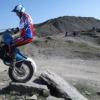
November 23, 201312 yr http://www.flickr.com/photos/76022002@N08/11015201966/ Original frame (modified). Lots of work but looks pretty and seems to ride well....
November 23, 201312 yr keep your little sister off it till she gets longer legs , and go get some mud on it ! Cool bike too ! Edited November 23, 201312 yr by axulsuv
November 24, 201312 yr Good job that Stu, nice looking bike. Hope to see you and your Dad at the Macc area trials.
December 8, 201312 yr Author Good job that Stu, nice looking bike. Hope to see you and your Dad at the Macc area trials. Should get to some soon, not done enough riding this year for various reasons..
December 9, 201312 yr Yes , agree lovely bike..... BUT I hate loose cables, especially throttle. TLTEL


Join the conversation
You can post now and register later. If you have an account, sign in now to post with your account.