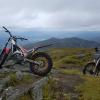
September 21, 201511 yr Great, what's all that green stuff every where? Oh, I remember it's grass or some thing like it. My back yard is big too, but dry as, I can't remember that time it rained. Enjoy, Taff
September 22, 201511 yr Author yeah, cant complain, takes us about 1 hour to get to the top of the hill, all off road, from the back door of my house. slicktop - how did the monty compare? you've lost me mate...
September 22, 201511 yr Sorry Gary, I saw your mate in the first pic and thought he was on a montesa.
September 23, 201511 yr Author Sorry Gary, I saw your mate in the first pic and thought he was on a montesa. lol no worries mate, yeah hes on a old beta rev 2001
September 24, 201511 yr Croydon? This is Croydon https://www.google.co.uk/url?sa=i&rct=j&q=&esrc=s&source=images&cd=&cad=rja&uact=8&ved=&url=http%3A%2F%2Fwww.demotix.com%2Fnews%2F1797358%2Fwestfield-and-hammerson-joint-deal-develop-croydon-shopping-area&psig=AFQjCNH4NZnKJwRiu-xGjEpdTdlbWgcevw&ust=1443174658631148
September 24, 201511 yr Author Nope its Scotland, the hill is called Farragon, just outside a wee place called Abefeldy.


Join the conversation
You can post now and register later. If you have an account, sign in now to post with your account.